Every mobile organization has its own unique setup, and its own unique way of releasing. Maybe you ship native Android and iOS apps side by side, or “build once, release twice” with a cross-platform app, or work on a single codebase that powers dozens—or even hundreds—of white-label variants. On top of that, no matter what kind of apps you ship, there’s the particular process any given release needs to follow from dev to staging to prod, with various checks, approvals, and hand-offs along the way. Mobile release complexity compounds and, at a certain scale, release processes and tooling that are subpar—or even “just fine”—have a real negative impact on your team’s productivity and happiness, and on the quality of the apps you ship.
Runway first came about to tackle those challenges, and the platform is now better positioned than ever to accomplish that, for even more kinds of mobile teams. Flightpaths unlocks entirely new ways to set up, manage, and automate your end-to-end release cycles. Your team has complete control, with the ability to rearrange release steps, leverage multiple steps of the same type for different parts of your cycle, and define more complex dependency graphs between steps. Under the hood, it’s a complete re-architecture of Runway designed for flexibility at scale, allowing teams to consolidate apps into shared overviews and pipelines, delivering unified visibility and enabling batch actions and automations across however many apps.
Monitor all your apps and releases in one place
With Flightpaths, you can now keep tabs on everything to do with releases, across all of your apps, in one place. A new tabular view pulls together release status and milestones, build information, app store review and release updates, rollout progress, and any other key pieces of information you choose to include, giving you a complete, at-a-glance overview of releases across your entire org.
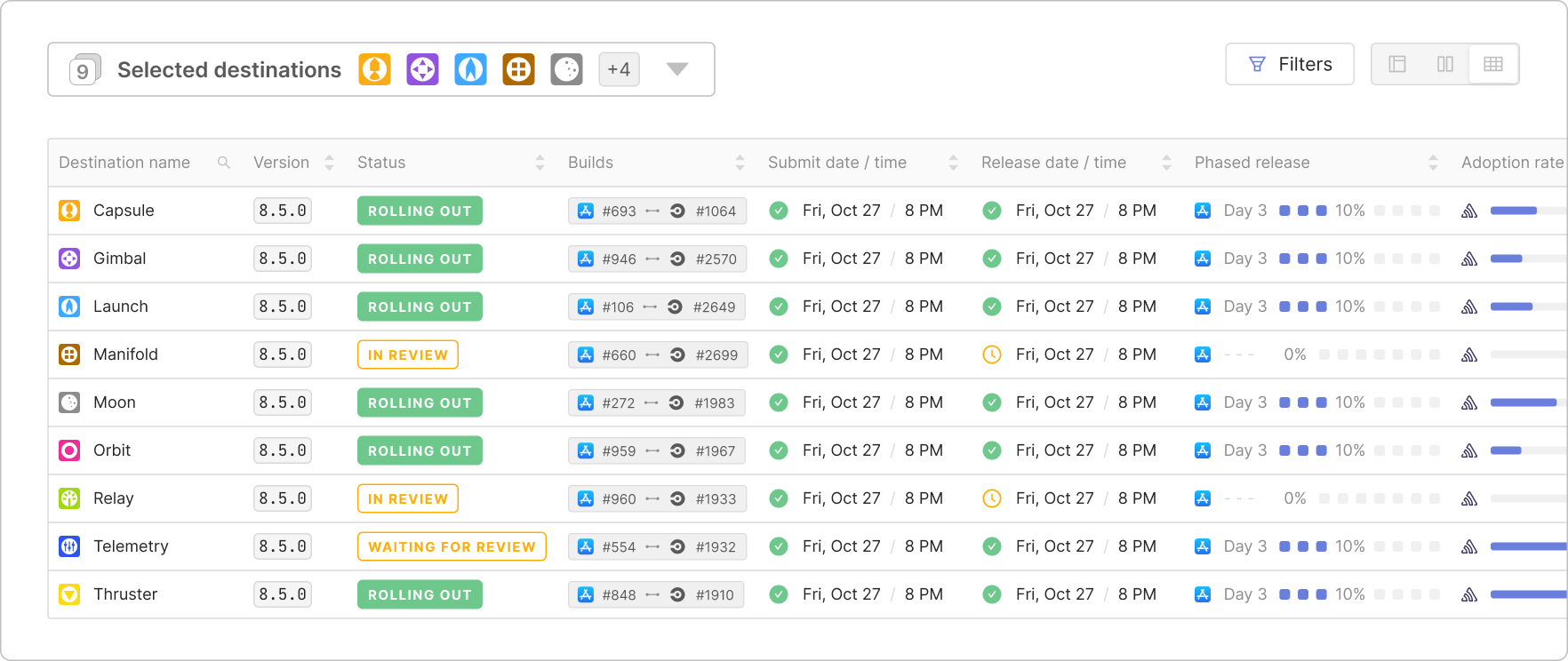
For multiple apps that share a single release workflow—for example, the Android and iOS constituents of a cross-platform app, mobile and wearable packages for a given product, or the various branded flavors of a white-label app—there are new summary views at the release step level that consolidate information about each respective part of the release process. This gives your team clearer and quicker insight into where action may be needed, and not only eliminates the need to bounce between tabs in App Store Connect and Play Console, but also between different apps in Runway.
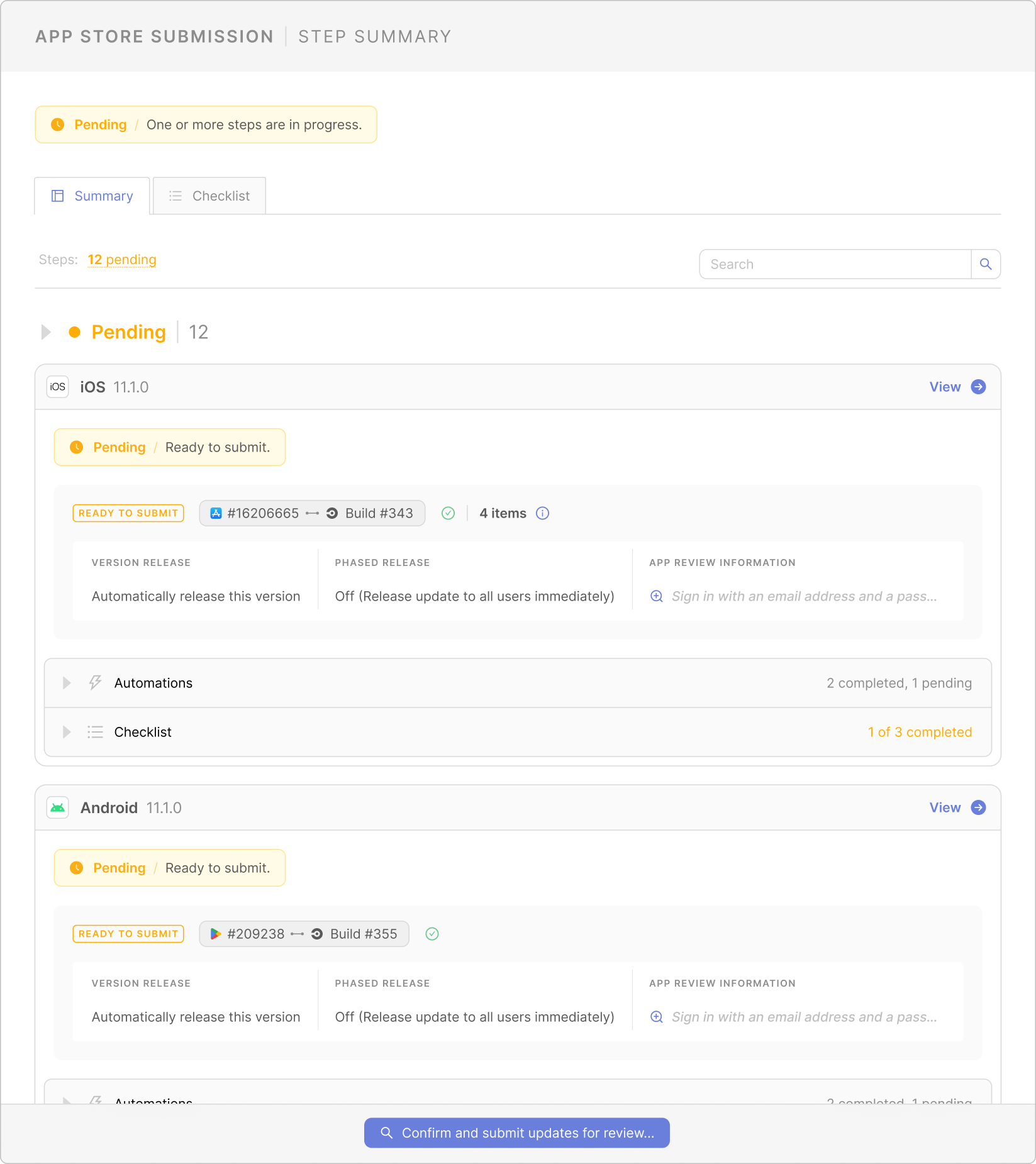
Take actions in bulk across all your apps
While Runway was already positioned to save you quite a few clicks throughout the release process, irrespective of the kinds of apps your team ships, Flightpaths takes that to the next level by enabling bulk actions across multiple apps. Instead of navigating into individual apps to submit to the app store or to halt a rollout, you can take these sorts of actions across multiple apps or platforms at once. Select all or just a subset of apps within a given workflow, depending on the use case, and skip the usual tab- and context-switching. This is especially powerful for cross-platform and white-label teams, turning dozens or hundreds of clicks into just one or two and removing the need to juggle credentials or sign in and out of app store accounts. Of course, where it makes sense in your release process, you can still also configure automations across all your apps to reduce manual clicks to zero!
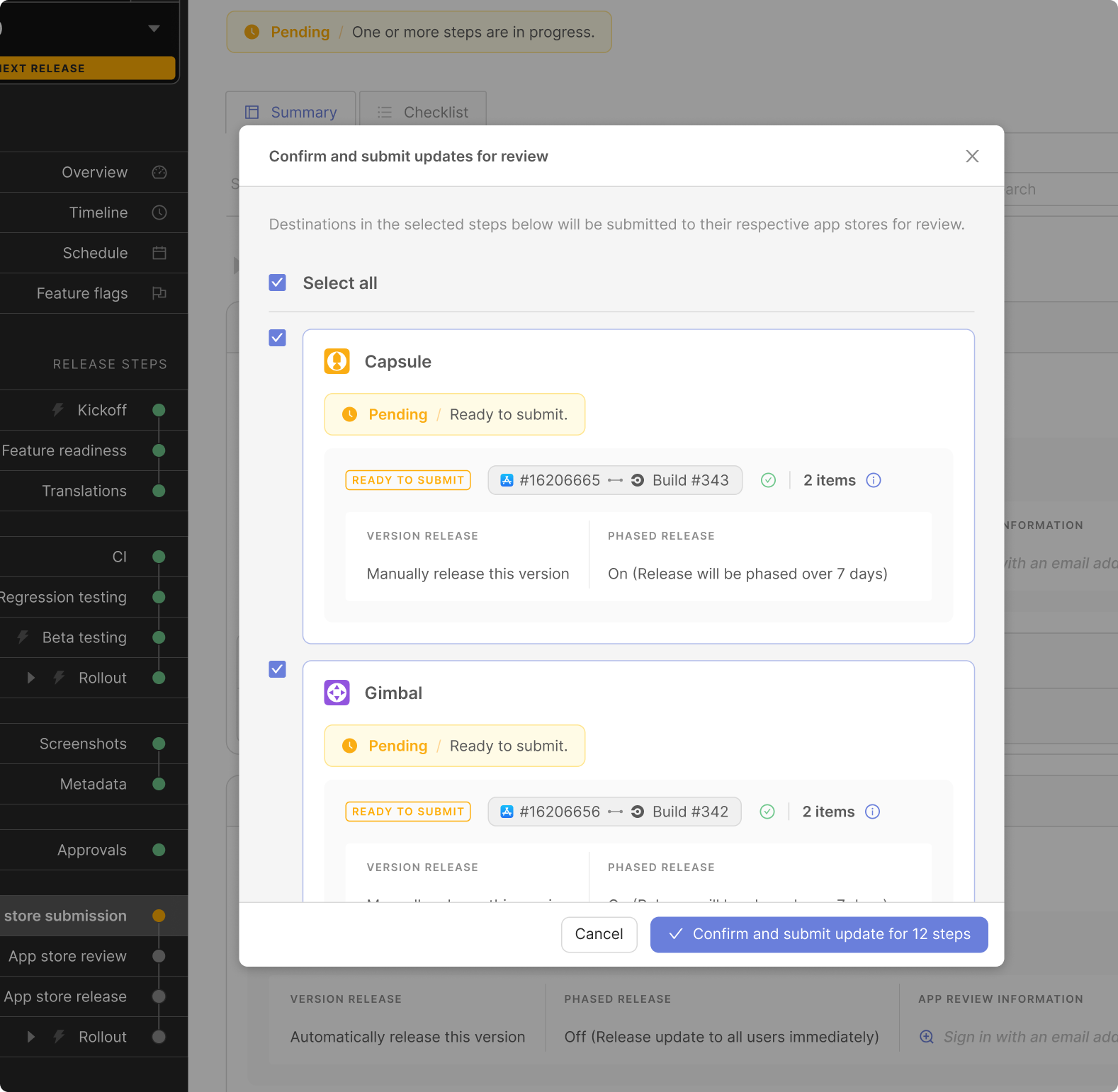
Customize every step of your release process
In addition to unlocking new ways to centralize and streamline releases across apps, Flightpaths enables powerful customization at the release level itself. You can now configure Runway’s release steps to perfectly suit your team’s unique process and get as close to fully-automated as you want to get, with just the right gates and checks in place and with visibility throughout. You can now leverage any given Runway step type in multiple locations in your workflow—for example, to monitor the stability and health of pre-production builds during beta distribution, in addition to production rollouts; or to hook into various different CI workflows, covering not just release candidates but also end-to-end tests or other pre-prod build flavors. With this, Runway also now lets you configure specific dependencies between steps to ensure the flow of release data and execution of automations is fully representative of your team’s process.
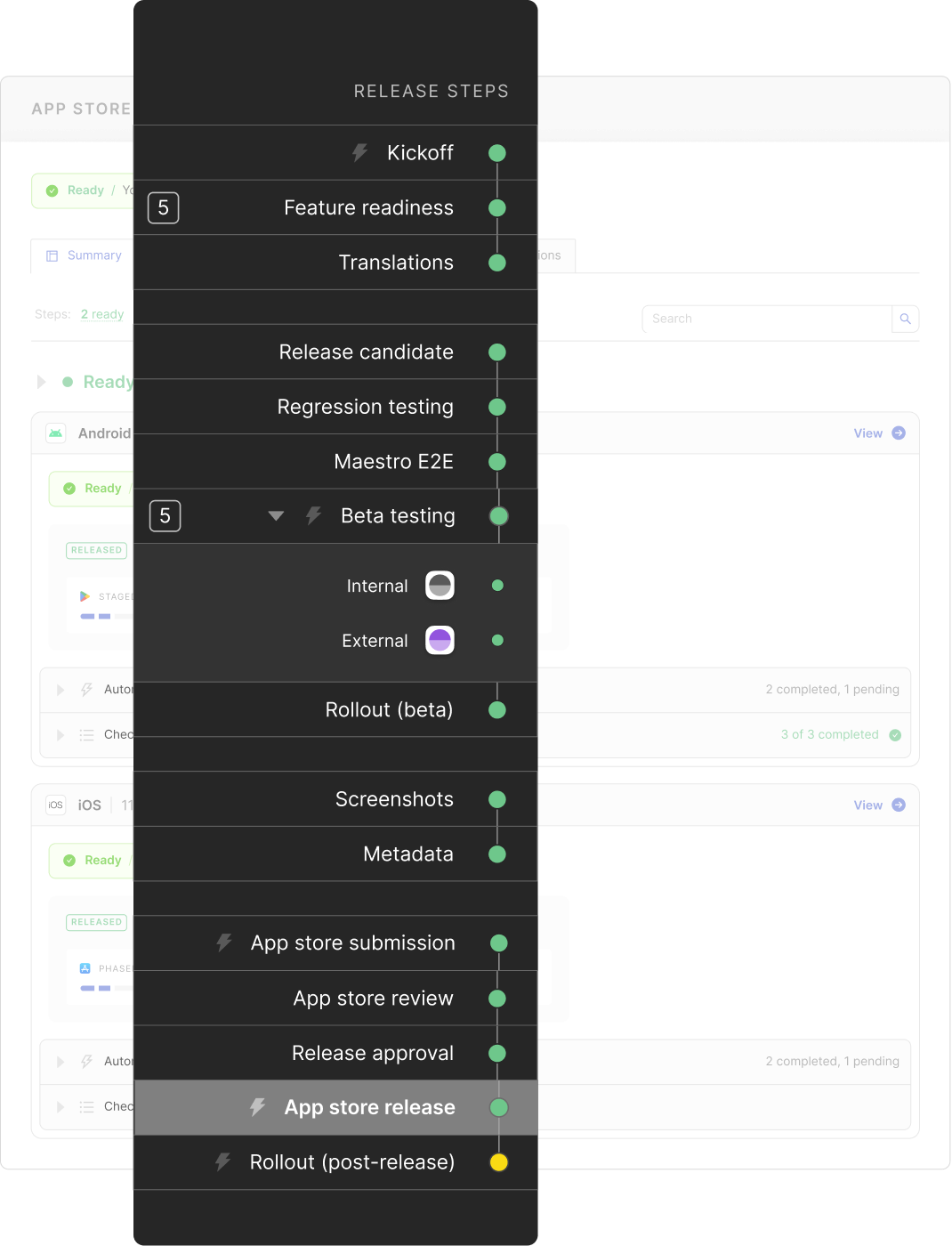
Define a release blueprint once, reuse as needed
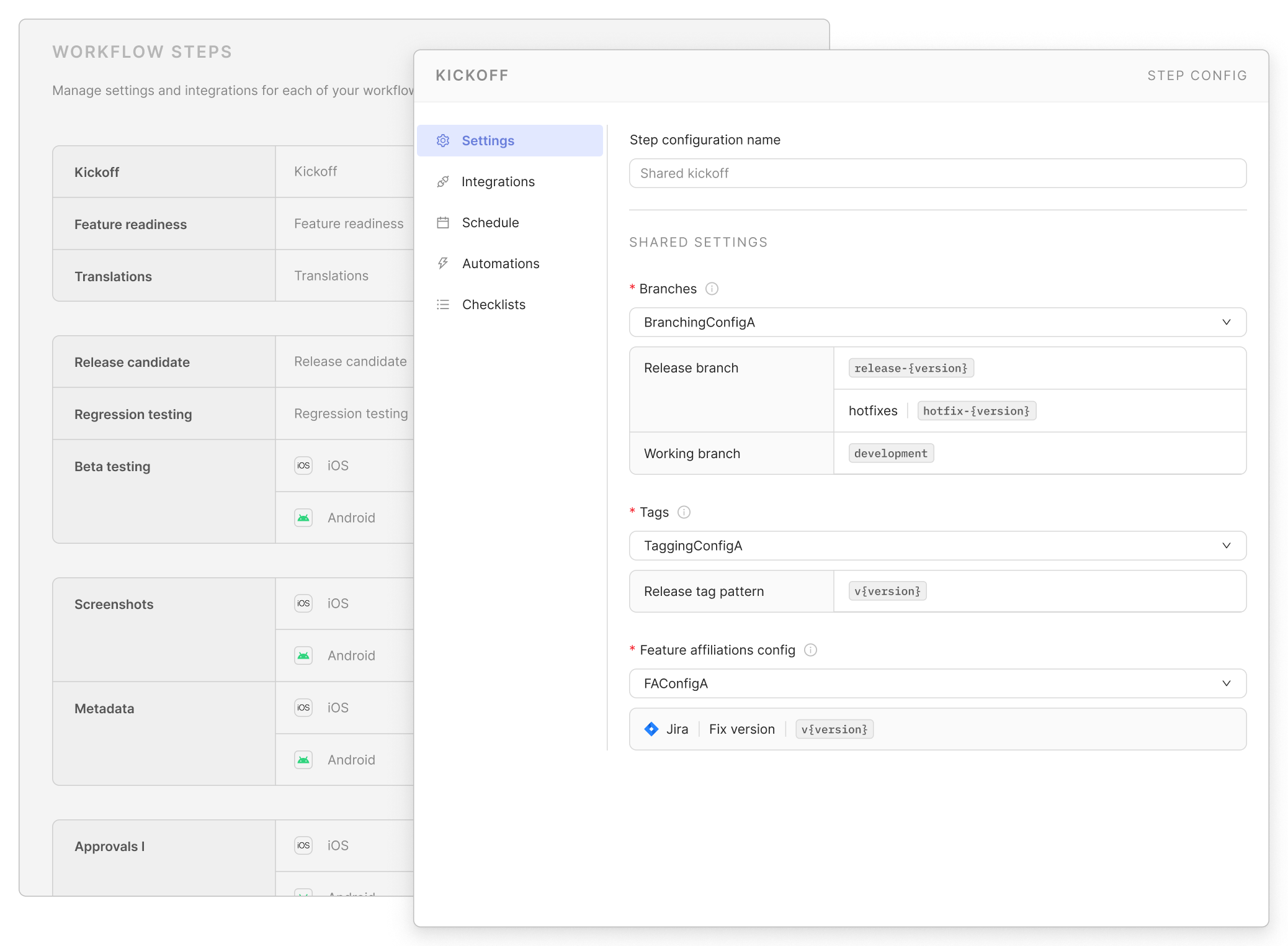
One of the most powerful aspects of Flightpaths is the ability to configure a centralized definition of your release process and apply that across any number of apps, while still leaving room for one-offs and app-specific behavior where necessary. By enabling shared settings for everything from release schedules, to step automations, to rollout safeguards, you can codify a standard release process across apps to increase efficiency, reduce tech debt and process drift, and generally make stakeholders’ lives easier in the process. Where certain teams or products need to ship differently, you can configure that—you get shared structure where it makes sense, and app- or platform-specific flexibility where you need it.
Built for every kind of mobile (and mobile-adjacent) team
Whether you're managing hundreds of white-label apps, building cross-platform and releasing Android and iOS together, or shipping multiple native products across a complex mobile org, Flightpaths can match your unique use case and make releases a non-event.
For white-label teams, Flightpaths helps you scale while dramatically reducing the overhead that comes with each release cycle. Bulk actions and automations save you from repetitive clicks, and dedicated overviews show you every white-label app's status at a glance.
For cross-platform teams, Flightpaths lets you realize the full efficiency of building cross-platform in the first place. Define a unified release blueprint that spans both platforms, manage the entire release lifecycle in one place, and ship new versions without needing to set foot in App Store Connect or Play Console.
For mature teams with complex releases, Flightpaths allows you to customize Runway to perfectly capture all the different steps and dependencies that exist in your release process. Whether you’re shipping for mobile, TV, wearables, auto or all of the above, you can manage and automate releases exactly how you want to.
With Flightpaths, our goal is the same as it’s ever been: help mobile teams release their apps with less wrangling and safeguard app quality in the process. Now, Runway is positioned to deliver this for even more use cases and to enable teams to get even further down the path to mobile release excellence.
To check out the new experience firsthand, head to our sandbox or schedule a live tour with our team!